Episode List

Claude Cowork 101: How to automate your workday without touching code | JJ Englert (Tenex)
JJ Englert leads community enablement at Tenex. In this episode, JJ provides a complete zero-to-one tutorial on Claude Cowork, Anthropic’s desktop tool that sits between simple chat and full terminal-based coding.What you’ll learn:How to create your first Claude Cowork project by connecting a folder on your computer and building context over timeThe “brain” file strategy: how to create a preferences document that Claude reads every time to understand who you are and how you workWhy one-click connectors to Gmail, Slack, Notion, and Google Calendar unlock AI that actually does work instead of just suggesting itHow to analyze your sent emails to build a writing skill that perfectly matches your tone and styleThe sub-advisory-board technique: spinning up three AI agents with different personas to review your work from multiple perspectivesHow to set permissions for each connector so Claude only drafts (never sends) or always asks before taking actionThe scheduled-task workflow that creates a morning debrief by reading your email, Slack, and calendar every day at 7:30 a.m.Why projects with shared memory beat individual chat threads for consistent, high-quality AI outputs—Brought to you by:Tines—Start building intelligent workflows todayCursor—The best way to code with AI—In this episode, we cover:(00:00) Introduction to JJ Englert(02:48) What Cowork is and who it’s for(05:49) Getting started: Opening the Cowork tab in Claude Desktop(07:04) Understanding projects as folders on your computer(07:54) Creating your “brain” file, with working preferences and context(10:24) Demo: Building a daily operating system project from scratch(12:18) How to prompt Cowork when starting a new project(14:54) Understanding the project interface and shared memory(18:37) Setting up connectors to Gmail, Slack, Google Calendar, and other tools(21:00) Using connectors to analyze your emails and build personalized writing skills(24:21) Creating a thinking-partner skill for decision support(26:18) Cowork vs. OpenClaw(27:18) Building a sub-advisory skill with multiple AI personas for feedback(34:03) Advanced skill example: Multi-step newsletter creation with research and evaluation(36:08) Setting up scheduled tasks for morning debriefs(37:57) Going beyond one-off tasks with AI(41:00) Progressive trust and the tradeoff of information for productivity(44:08) Different use cases beyond work productivity(46:08) Lightning round—Tools referenced:• Claude Code: https://claude.ai/code• Wispr Flow: https://whisperflow.ai/• Monologue: https://www.monologue.to/• Domo: https://www.domo.com/• Pencil.dev: https://pencil.dev/• Remotion: https://www.remotion.dev/• Obsidian: https://obsidian.md/• OpenClaw: https://openclaw.com/• Notion: https://notion.so/—Other references:• Get Started with Claude Cowork: https://support.claude.com/en/articles/13345190-get-started-with-cowork—Where to find JJ Englert:YouTube: https://www.youtube.com/channel/UCv2ovDhYVtlJw4QMidLFP8QX: https://twitter.com/jjenglertLinkedIn: https://www.linkedin.com/in/jj-englert-a08836a6/—Where to find Claire Vo:ChatPRD: https://www.chatprd.ai/Website: https://clairevo.com/LinkedIn: https://www.linkedin.com/in/clairevo/X: https://x.com/clairevo—Production and marketing by https://penname.co/. For inquiries about sponsoring the podcast, email jordan@penname.co.

I built a custom Slack inbox. It was easier than you’d think. | Yash Tekriwal (Clay)
Yash Tekriwal is the head of education at Clay. A self-described hyper-optimizer, Yash has built multiple custom productivity applications using Perplexity Computer and OpenClaw to manage his overwhelming daily workflow—including a Slack digest system that categorizes over 150 daily notifications into actionable priorities, and a consolidated news/email/Slack dashboard that serves as his personal command center.What you’ll learn:How Yash built a custom Slack digest that categorizes 150+ daily notifications into action-required, need-to-read, and FYI bucketsWhy Perplexity Computer beats Claude Code and Codex for building personal productivity appsHis “anti-to-do list” framework: spending an hour daily automating tasks you never want to do againHow to use AI for deterministic tasks (APIs, structured data) vs. subjective tasks (categorization, summarization)Why the SaaS apocalypse narrative is wrong—and why we’re about to see an explosion of micro-softwareHow his team uses Perplexity Computer to prototype design systems and communicate with cross-functional partners—Brought to you by:Guru—The AI layer of truthThoughtSpot—Build AI-powered analytics into your product—In this episode, we cover:(00:00) Introduction to Yash(02:38) The burden of 150 daily Slack notifications(05:45) When to use AI for tasks vs. building deterministic code(06:38) Building the Slack digest with OpenClaw(11:33) Introducing Perplexity Computer and the visual dashboard(14:28) Three reasons Perplexity Computer beats Claude Code(16:14) Using connectors to automate meeting follow-ups across Notion and Asana(18:21) The Kanban-style Slack dashboard(20:15) The long tail of customer requests and the future of micro-software(24:09) The anti-to-do list framework(26:21) Building a consolidated news, email, and Slack digest(29:48) How Perplexity Computer handles authentication and deployment(31:46) Team use case: Prototyping persona-based learning journeys for Clay University(35:49) Lightning round and final thoughts—Tools referenced:• Perplexity Computer: https://www.perplexity.ai/computer/new• OpenClaw: https://openclaw.ai/• Discord: https://discord.com/• Claude Code: https://claude.ai/code• Codex: https://openai.com/codex/• Asana: https://asana.com/• Airtable: https://airtable.com/• Figma: https://www.figma.com/• Vercel: https://vercel.com/• ChatGPT: https://chat.openai.com/—Other references:• Slack: https://slack.com/• Notion: https://www.notion.so/• Superhuman: https://superhuman.com/• Clay University: https://www.clay.com/university• Kanban boards: https://en.wikipedia.org/wiki/Kanban_board—Where to find Yash Tekriwal:LinkedIn: https://www.linkedin.com/in/yashtekriwal/X: https://x.com/yash_tekCompany: https://www.clay.com/—Where to find Claire Vo:ChatPRD: https://www.chatprd.ai/Website: https://clairevo.com/LinkedIn: https://www.linkedin.com/in/clairevo/X: https://x.com/clairevo—Production and marketing by https://penname.co/. For inquiries about sponsoring the podcast, email jordan@penname.co.

I gave Claude Code our entire codebase. Our customers noticed. | Al Chen (Galileo)
Al Chen is a field engineer at Galileo, an observability platform for AI applications, where he works on the front lines with enterprise customers asking highly technical questions. Despite never having held an engineering role, Al has built a system using Claude Code to query Galileo’s 15 separate repositories, combine that with Confluence documentation and customer-specific quirks, and deliver hyper-personalized answers that would otherwise require constant engineering support.What you’ll learn:How to use Claude Code to query multiple repositories simultaneously for customer supportWhy code is often a better source of truth than documentationHow to combine repository context with Confluence and Slack using MCPsThe “customer quirks” system that creates hyper-personalized deployment guidesHow to build virtuous loops that turn single customer questions into scalable knowledgeWhy information organization matters less in the AI eraA simple 16-line script (written by Claude Code) that pulls the latest main branch across all your repositories to keep your context currentHow to reduce engineering interruptions to near-zero by empowering customer-facing teams to query the codebase directly—Brought to you by:Orkes—The enterprise platform for reliable applications and agentic workflowsTines—Start building intelligent workflows today—In this episode, we cover:(00:00) Introduction to Al Chen(02:50) The problem: documentation wasn’t enough(04:23) Pulling 15 repos into VS Code(06:03) How Claude Code queries the entire codebase(08:00) Why current code beats documentation(08:31) The pull script that keeps everything updated(09:54) Opening projects at the multi-repo level(11:40) Live demo: answering deployment questions(13:25) The customer quirks system(15:00) Living in chaos: why organization matters less now(17:03) Competing on customer experience, not just product(18:20) Should customers be able to query the code directly?(20:05) Where humans still add value(25:46) Using AI for reactive Slack support(29:16) The “and then” workflow discovery(32:07) Scaling processes across the team(34:07) Lightning round and final thoughts—Tools referenced:• Claude Code: https://claude.ai/code• VS Code: https://code.visualstudio.com/• Pylon: https://usepylon.com/• Confluence: https://www.atlassian.com/software/confluence—Other references:• Slack: https://slack.com/• Kubernetes: https://kubernetes.io/• Stack Overflow: https://stackoverflow.com/• Intercom: https://www.intercom.com/—Where to find Al Chen:LinkedIn: https://www.linkedin.com/in/thealchen/Company: https://www.rungalileo.io—Where to find Claire Vo:ChatPRD: https://www.chatprd.ai/Website: https://clairevo.com/LinkedIn: https://www.linkedin.com/in/clairevo/X: https://x.com/clairevo—Production and marketing by https://penname.co/. For inquiries about sponsoring the podcast, email jordan@penname.co.

How to turn Claude Code into your personal life operating system | Hilary Gridley
Hilary Gridley is an entrepreneur, former product leader, and new mom who previously appeared on the podcast discussing AI for managers. She returns to share how she's transformed her approach to personal productivity using Claude Code as her primary tool for managing both professional work and life admin. Hilary demonstrates her "anti-system system"—a philosophy that prioritizes simplicity over complex setup, allowing AI to learn preferences through observation rather than upfront configuration.What you’ll learn:How to capture to-dos instantly using a simple iPhone back-tap shortcut that requires zero app switchingThe “10x impact framework” for deciding what tasks to automate versus where to invest your human effortHow to use Claude Code’s observation capabilities to build a preference file that improves over time without manual setupWhy the “yappers API” (talking about what you’re doing while working) eliminates the need for complex OAuth integrationsA workflow for breaking down overwhelming tasks into 10-minute first steps that actually get completedHow to create Claude Skills by simply describing problems rather than writing code or following tutorialsTechniques for using “recording mode” to demo workflows without exposing personal information—Brought to you by:WorkOS—Make your app Enterprise Ready todayLovable—Build apps by simply chatting with AI—In this episode, we cover:(00:00) Introduction to Hilary Gridley(02:43) The opportunity cost of time as a new mom and entrepreneur(07:11) Philosophy of the anti-system system(08:05) Demo: Planning your day with Claude Code(10:00) Setting up simple iPhone shortcuts for task capture(11:48) How Claude organizes reminders and learns preferences automatically(16:19) Breaking down overwhelming tasks into manageable first steps(23:40) The yappers API: talking to Claude instead of building integrations(25:28) Daily logging and observation patterns(27:45) Quick summary(30:50) The power of screenshots(32:55) 10x impact framework for automation decisions(37:51) Applying the framework to different career stages(39:29) Building a “recording on” skill for anonymizing demos(44:11) Building a returns tracking skill from scratch(48:31) Building the muscle memory to reach for AI tools(50:18) Where to find Hilary—Tools referenced:• Claude Code: https://claude.ai/code• Obsidian: https://obsidian.md/• iPhone Shortcuts: https://support.apple.com/guide/shortcuts/welcome/ios• Cursor: https://cursor.sh/—Other references:• Figma file Hilary demo’ed: https://www.writerbuilder.com/howiai—Where to find Hilary Gridley:Substack: https://hills.substack.com/Website: https://writerbuilder.com—Where to find Claire Vo:ChatPRD: https://www.chatprd.ai/Website: https://clairevo.com/LinkedIn: https://www.linkedin.com/in/clairevo/X: https://x.com/clairevo—Production and marketing by https://penname.co/. For inquiries about sponsoring the podcast, email jordan@penname.co.
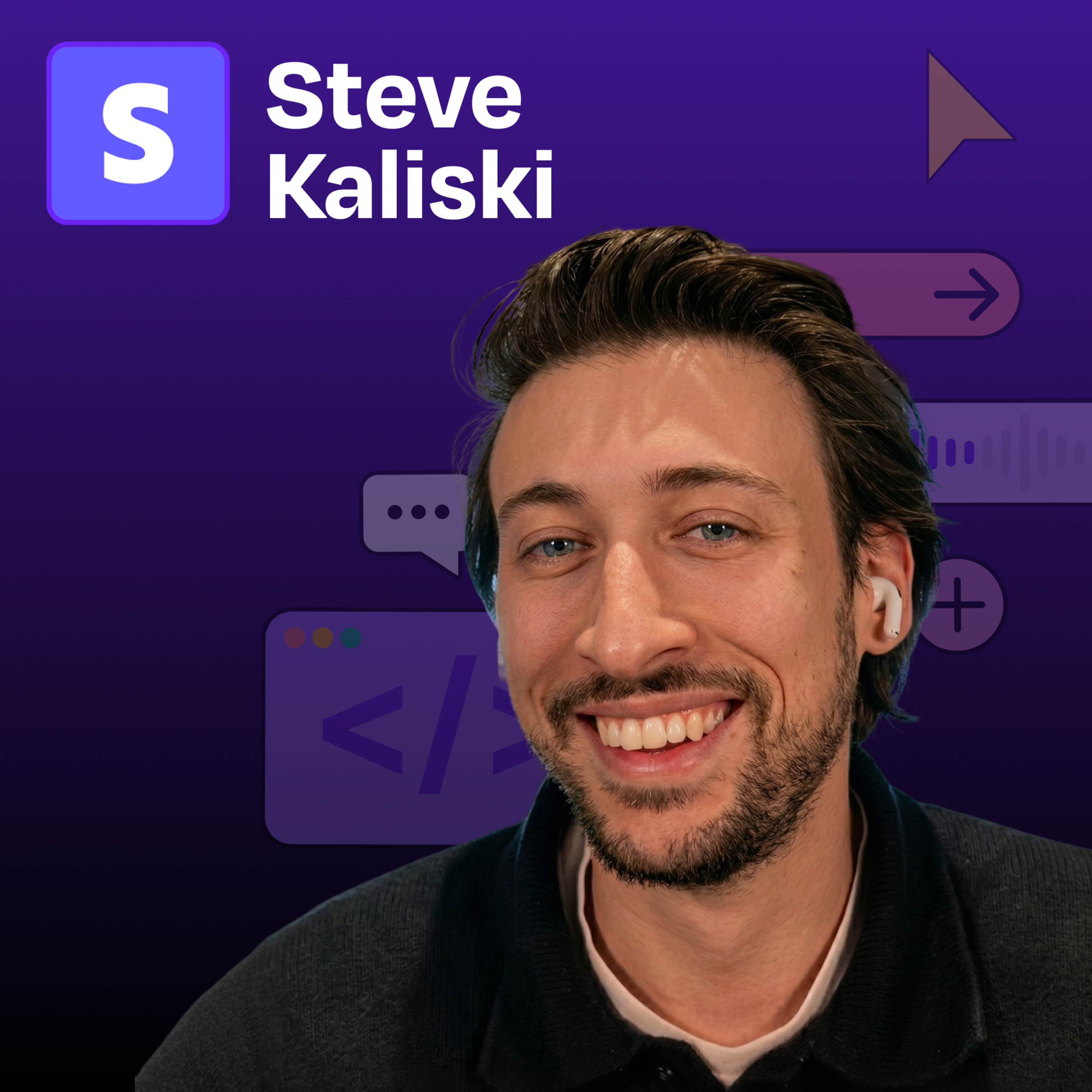
How Stripe built “minions”—AI coding agents that ship 1,300 PRs weekly from Slack reactions | Steve Kaliski (Stripe engineer)
Steve Kaliski is a software engineer at Stripe who has spent the past six and a half years building developer tools and payment infrastructure. He’s part of the team that created “minions”—Stripe’s internal AI coding agents, which now ship approximately 1,300 pull requests per week with minimal human intervention beyond code review. In this episode, Steve demonstrates how Stripe engineers activate development work from Slack and leverage cloud-based development environments for parallel agent workflows, and demos machine-to-machine payments where AI agents transact autonomously with third-party services.What you’ll learn:How Stripe’s “minions” write 1,300 pull requests per week with minimal human interventionWhy a good developer experience for humans creates better outcomes for AI agentsThe critical role of cloud development environments in unlocking AI-powered engineering velocityThe machine payment protocol that lets AI agents spend money to accomplish tasksThe code review strategy for handling thousands of agent-written PRsWhy non-engineers at Stripe are starting to use minions to ship codeThe future of software businesses built primarily for agent consumers—Brought to you by:Optimizely—Your AI agent orchestration platform for marketing and digital teamsRippling—Stop wasting time on admin tasks, build your startup faster—In this episode, we cover:(00:00) Introduction to Steve(02:39) Stripe’s minions and their effect on Stripe as a whole(04:42) Why activation energy matters more than execution(05:44) What is a minion? The technical architecture(06:52) Demo: Activating a minion from Slack with an emoji(09:04) Why good developer experience benefits both humans and agents(11:22) Walking through the agent loop and system prompts(13:42) Why Stripe chose Goose as their agent harness(16:00) The role of Stripe’s developer productivity team(17:15) Why cloud environments unlock multi-threaded AI engineering(21:14) One-shot prompting: from Slack to shipped PR(22:04) How Stripe handles code review for 1,300 AI-written PRs weekly(23:44) Non-engineers using minions across the company(24:53) Demo: Planning a birthday party with Claude and machine payments(32:15) Quick recap(35:08) The future of ephemeral, API-first businesses for agents(36:36) Lightning round and final thoughts—Detailed workflow walkthroughs from this episode:• How Stripe's AI 'Minions' Ship 1,300 PRs Weekly from a Slack Emoji: https://www.chatprd.ai/how-i-ai/stripes-ai-minions-ship-1300-prs-weekly-from-a-slack-emoji• How to Build an Autonomous AI Agent That Pays for Services to Complete Tasks: https://www.chatprd.ai/how-i-ai/workflows/how-to-build-an-autonomous-ai-agent-that-pays-for-services-to-complete-tasks• How to Automate Code Generation from a Slack Message into a Pull Request: https://www.chatprd.ai/how-i-ai/workflows/how-to-automate-code-generation-from-a-slack-message-into-a-pull-request—Tools referenced:• Goose (AI agent harness): https://github.com/block/goose• Claude Code: https://claude.ai/code• Cursor: https://cursor.sh/• VS Code: https://code.visualstudio.com/• Slack: https://slack.com/• Browserbase: https://browserbase.com/• Parallel AI: https://www.parallel.ai/• PostalForm: https://postalform.com/• Stripe Climate: https://stripe.com/climate—Other references:• Stripe machine payments: https://docs.stripe.com/payments/machine• Blue-Green Deployment: https://martinfowler.com/bliki/BlueGreenDeployment.html• Git worktrees: https://git-scm.com/docs/git-worktree—Where to find Steve Kaliski:Twitter: https://twitter.com/stevekaliskiLinkedIn: https://www.linkedin.com/in/steve-kaliski-079a7710/—Where to find Claire Vo:ChatPRD: https://www.chatprd.ai/Website: https://clairevo.com/LinkedIn: https://www.linkedin.com/in/clairevo/X: https://x.com/clairevo—Production and marketing by https://penname.co/. For inquiries about sponsoring the podcast, email jordan@penname.co.
You may also like








Get this podcast on your phone, Free


Create Your Podcast In Minutes
- Full-featured podcast site
- Unlimited storage and bandwidth
- Comprehensive podcast stats
- Distribute to Apple Podcasts, Spotify, and more
- Make money with your podcast