
Podbean logo
  • Discover
  • Podcast Features
    • Podcast Hosting

      Start your podcast with all the features you need.

    • Podbean AI Podbean AI

      AI-Enhanced Audio Quality and Content Generation.

    • Blog to Podcast

      Repurpose your blog into an engaging podcast.

    • Video to Podcast

      Convert YouTube playlists to podcasts, videos to audios.

  • Monetization
    • Ads Marketplace

      Join Ads Marketplace to earn through podcast sponsorships.

    • PodAds

      Manage your ads with dynamic ad insertion capability.

    • Apple Podcasts Subscriptions Integration

      Monetize with Apple Podcasts Subscriptions via Podbean.

    • Live Streaming

      Earn rewards and recurring income from Fan Club membership.

  • Podbean App
    • Podcast Studio

      Easy-to-use audio recorder app.

    • Podcast App

      The best podcast player & podcast app.

  • Help and Support
    • Help Center

      Get the answers and support you need.

    • Podbean Academy

      Resources and guides to launch, grow, and monetize podcast.

    • Podbean Blog

      Stay updated with the latest podcasting tips and trends.

    • What’s New

      Check out our newest and recently released features!

    • Podcasting Smarter

      Podcast interviews, best practices, and helpful tips.

  • Popular Topics
    • How to Start a Podcast

      The step-by-step guide to start your own podcast.

    • How to Start a Live Podcast

      Create the best live podcast and engage your audience.

    • How to Monetize a Podcast

      Tips on making the decision to monetize your podcast.

    • How to Promote Your Podcast

      The best ways to get more eyes and ears on your podcast.

    • Podcast Advertising 101

      Everything you need to know about podcast advertising.

    • Mobile Podcast Recording Guide

      The ultimate guide to recording a podcast on your phone.

    • How to Use Group Recording

      Steps to set up and use group recording in the Podbean app.

  • All Arts Business Comedy Education
  • Fiction Government Health & Fitness History Kids & Family
  • Leisure Music News Religion & Spirituality Science
  • Society & Culture Sports Technology True Crime TV & Film
  • Live
  • How to Start a Podcast
  • How to Start a Live Podcast
  • How to Monetize a podcast
  • How to Promote Your Podcast
  • How to Use Group Recording
  • Log in
  • Start your podcast for free
  • Podcasting
    • Podcast Features
      • Podcast Hosting

        Start your podcast with all the features you need.

      • Podbean AI Podbean AI

        AI-Enhanced Audio Quality and Content Generation.

      • Blog to Podcast

        Repurpose your blog into an engaging podcast.

      • Video to Podcast

        Convert YouTube playlists to podcasts, videos to audios.

    • Monetization
      • Ads Marketplace

        Join Ads Marketplace to earn through podcast sponsorships.

      • PodAds

        Manage your ads with dynamic ad insertion capability.

      • Apple Podcasts Subscriptions Integration

        Monetize with Apple Podcasts Subscriptions via Podbean.

      • Live Streaming

        Earn rewards and recurring income from Fan Club membership.

    • Podbean App
      • Podcast Studio

        Easy-to-use audio recorder app.

      • Podcast App

        The best podcast player & podcast app.

  • Advertisers
  • Enterprise
  • Pricing
  • Resources
    • Help and Support
      • Help Center

        Get the answers and support you need.

      • Podbean Academy

        Resources and guides to launch, grow, and monetize podcast.

      • Podbean Blog

        Stay updated with the latest podcasting tips and trends.

      • What’s New

        Check out our newest and recently released features!

      • Podcasting Smarter

        Podcast interviews, best practices, and helpful tips.

    • Popular Topics
      • How to Start a Podcast

        The step-by-step guide to start your own podcast.

      • How to Start a Live Podcast

        Create the best live podcast and engage your audience.

      • How to Monetize a Podcast

        Tips on making the decision to monetize your podcast.

      • How to Promote Your Podcast

        The best ways to get more eyes and ears on your podcast.

      • Podcast Advertising 101

        Everything you need to know about podcast advertising.

      • Mobile Podcast Recording Guide

        The ultimate guide to recording a podcast on your phone.

      • How to Use Group Recording

        Steps to set up and use group recording in the Podbean app.

  • Discover
  • Log in
    Sign up free
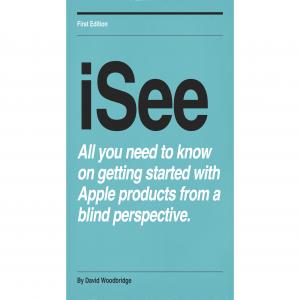
iSee - Using various technologies from a blind persons perspective.

iSee - Using various technologies from a blind persons perspective.

Technology:Software How-To

KWF Telescopic Cane button stype Product Highlight demo

KWF Telescopic Cane button stype Product Highlight demo

2024-07-29
Download


Hi and welcome to this Vision Store product highlight demo. 


In this particular demo, I want to talk about a range of different sized canes that come under the same product name. And what I'm talking about is the KWF telescopic button style canes. So these are telescopic canes that you slide back into a very, very small size. And then of course, telescope out into a full size cane. 


Vision Store  has a range of these KWF telescopic button style canes. And they go from 114cm, which is about 44 inches roughly, up to 138cm, which is about 54 inches. 


As you may or may not know with telescopic canes, they're not really designed to be an all day cane. I see them as an occasional cane. So let's say you've gone to a concert or a restaurant and you just want to pop out and go somewhere, then you could quite easily pull your telescopic cane out of your bag and extend it. And off you go. When you come back, you fold it up nice and tiny or collapse it nice and tiny inside itself. And off you go again. 


Let me give you the main features of the KFW telescopic cane button style. And the reason why it's called a button style, just get that out of the way first, is that it's got a button on the handle of the cane that when you push it in, allows you to pull out all the sections out into a rigid cane. And then of course, to collapse it or retract it back inside itself, you push that button in, you put your hand on the bottom of the cane and push all the sections back into the handle. So that's the way it effectively works.


 let me just give you the main features of the cane. 

It has nine sections and of course, the ninth   section is the handel.

Each section where it connects to each other has a reinforced band of aluminium going around that. And of course, that's to reinforce it when it's fully extended in its rigid form. 


The other thing that you will notice on the cane is that when you extend it, you have little buttons that pop out into holes. That's what holds the cane into the rigid setting when it's fully extended. And then when you press that button, it then allows the top section and the previous section going on and on and on to collapse back into itself. 


What I like about the feel of this cane is while the handle is round, each of the sections as it extends out is an eight-sided shape. And then when you get to the bottom section, that's almost an eight-sided shape. But because it's so thin, it feels like a four-sided shape. And then of course, you've got the tip. The handle is quite spongy and it's actually round. So it doesn't feel like a golf handle that you have on some canes. This is actually quite a rounded handle. on the top of the handle, you do have a wrist strap to put it around your wrist. 

The tip on the bottom of the cane is 1.5 centimetres. So it is quite tiny and it does have a metal tip on it. 

Then finally, with the main features, you have this really cute little carrying case that you can pop it in. Because my shoulder bag has got lots of different littletalk about  compartments in it, I tend to not use a little bag. I just put it in some of my little compartment on my shoulder bag. 


Let’s go through some of the benefits of the cane since we've just done the features. 

It is lightweight and considering what it's actually doing, it's actually quite strong. 

Cane extends and retracts with ease, which is absolutely true. 

Cane automatically locks at each section for strength.And those were the little buttons I was talking about that popped out when you extended the cane. And of course, get  pushed in when you're retracting the cane Joint design provides superior tactile transmission. 

finally, as I've already mentioned, it comes with a carrying case for easier storage. 


Let's go to the technical specifications.

The cane weight is 213 grams. 

Cane construction is dual aluminium with copper alloy. So again, quite strong. 

Cane handle is a EVA sponge handle. 

Nnumber of sections is nine. 


There is a serious warning for the manufacturer, and that's about not opening the cane rapidly or forcefully. If you just grab a hold of the handle and yank it open, what will happen is that you can actually damage the cane. So remember those little buttons that I said that connect each section? Well, if you pull it too hard, those buttons can collapse back inside the cane and the cane falls apart. Maybe not all of it, but when I accidentally did it on my one, the bottom section actually popped out and I had to get some help to get it back in again. So it still works, but I've now got to be a little bit more careful.


By the way, when it closes, what you actually get from a tactile point of view is you get the lovely sponge handle, of course, with the strap on the end of it. And then you get this lovely diminishing rows of those extra joints that are around each section. And it just feels nice and compact. That's why I was saying that the cane itself feels really cool when it's fully extended and it feels ultra cool when it's all collapsed. 


If you want to find more information about the cane, please look on our website, which is shop.visionaustralia.org. If you'd like to talk to someone, you can ring up the main Vision Australia number, which is 1300 847 466, and ask to speak to someone at the Vision Store. Or indeed, you can email the Vision Store, which is pretty straightforward. And that's visionstore@visionaustralia.org. 


As I say in all my product demos, thanks for listening, and bye for now.

view more

More Episodes

Why I use my Meta Ray Ban glasses
2024-12-19 1.2k
Demo of the new Text to Speech option for the Mantis Q40 as of Dec 2024
2024-12-15 913
Triple-W episode 3 Interview with Vivian Bell Humanware Australia Account Manager for qLD, NT, and Northern NSW.
2024-12-14 748
Triple-W Episode 2 - chat with Larissa Byass Humanware Australia Account Manager for Vic, Tas, SA, and WA.
2024-12-07 852
Triple-W Episode 1 - sharing the love about Braille and other cool Humanware tech including of course the Monarch smile
2024-11-30 923
Interview from Libby Henderson from Big Purple Phone on the Big Purple Phone Silver Fox
2024-08-12 1.4k
Big Purple Phone product highlight demo
2024-08-05 1.2k
An interview with Peter Cracknell from Quantum RLV re the new Mount Batten Braille Tutor
2024-07-31 1.1k
Synapptic software for your Android smart phone or tablet Product Highlight
2024-07-28 849
Podcast on the actual Mini Guide sonar detection device which goes with the Mini Guide Holder for your Cane (or just held in your hand)
2024-04-15 1.2k
Demo of the amazing (I think) and extremley useful Mini Guide Holder for your mobility cane from Vision Store
2024-04-14 859
BTSpeak Pro demo for tablet (note taker) and desktop modes, amazing amazing device
2024-03-25 1.4k
Hable One description, pairing, and basic navigation on iPhone with VoiceOver
2024-03-13 819
Tech Chat Mondays Evening for Feb 19 2022
2024-02-21 732
Tech Monday Tech Chat for Feb 12 with David W and the crew
2024-02-12 701
Sounds of Summer from the Vision Australia Vision Store
2023-11-22 810
Demo of reading daisy books on the Brailliant BIX40
2023-11-15 722
Monarch hands on demo
2023-10-16 1.1k
Exploring Tech Webinar by David DW for June 2023 Accessing the Printed Word
2023-08-02 994
  • ←
  • 1
  • 2
  • 3
  • 4
  • 5
  • 6
  • 7
  • 8
  • 9
  • 10
  • →
01234567910111213141516171819

Get this podcast on your
phone, FREE

Download Podbean app on App Store Download Podbean app on Google Play

Create your
podcast in
minutes

  • Full-featured podcast site
  • Unlimited storage and bandwidth
  • Comprehensive podcast stats
  • Distribute to Apple Podcasts, Spotify, and more
  • Make money with your podcast
Get started

It is Free

  • Podcast Services

    • Podcast Features
    • Pricing
    • Enterprise Solution
    • Private Podcast
    • The Podcast App
    • Live Stream
    • Audio Recorder
    • Remote Recording
    • Podbean AI
  •  
    • Create a Podcast
    • Video Podcast
    • Start Podcasting
    • Start Radio Talk Show
    • Create a Podcast for Spotify
    • Education Podcast
    • Church Podcast
    • Get Sermons Online
    • Free Audiobooks
  • MONETIZATION & MORE

    • Podcast Advertising
    • Dynamic Ads Insertion
    • Apple Podcasts Subscriptions
    • AI Podcast Creator
    • Blog to Podcast
    • YouTube to Podcast
    • Submit Your Podcast
    • Switch to Podbean
    • Podbean Plugins
  • KNOWLEDGE BASE

    • How to Start a Podcast
    • How to Start a Live Podcast
    • How to Monetize a Podcast
    • How to Promote Your Podcast
    • Mobile Podcast Recording Guide
    • How to Use Group Recording
    • Podcast Advertising 101
  • Support

    • Support Center
    • What’s New
    • Free Webinars
    • Podcast Events
    • Podbean Academy
    • Podbean Amplified Podcast
    • Badges
    • Resources
    • Developers
  • Podbean

    • About Us
    • Podbean Blog
    • Careers
    • Press and Media
    • Green Initiative
    • Affiliate Program
    • Contact Us
  • Privacy Policy
  • Cookie Policy
  • Terms of Use
  • Consent Preferences
  • Copyright © 2015-2026 Podbean.com